Getting a Product Drop Ready With AI: Photos, Words, Emails
A product drop needs a pile of small things before launch day: photos, a product description, a few social posts and a note for your newsletter. AI tools can draft most of them in minutes, which leaves you more time for the product itself. Below is a friendly plan, with a small streetwear brand's 50-hoodie drop as the example.
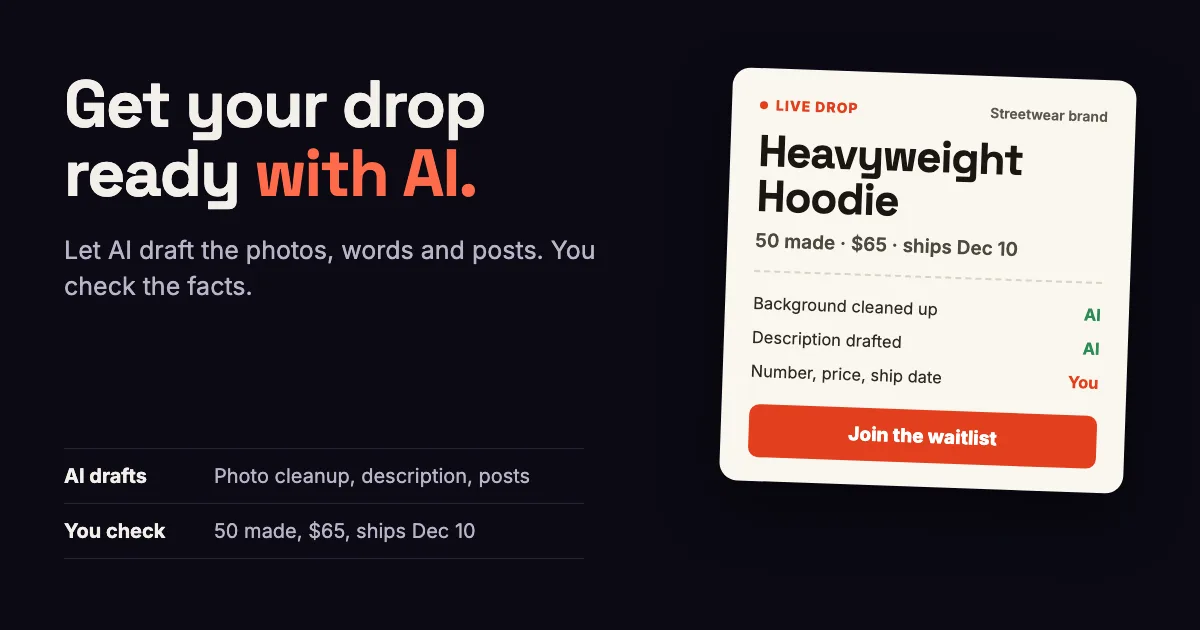
In one line: Use AI to clean up your own product photos, draft the drop page words and write your social posts and newsletter invite, then check every fact yourself. Keep the number made, the price and the ship date exactly right, because shoppers on a waitlist will hold you to them.
- Take your own photos of the product, then let AI clean up the background or set the scene.
- Let AI draft the description and the posts, and check the facts yourself: how many, what price, when it ships.
- Try Shopify's free AI first.
- Don't let AI show anything you can't ship.
- Write the launch-day posts the week before, so the day itself is calm and you can focus on orders.
Why use AI for a drop?
A drop packs a lot of small jobs into a few weeks. The waitlist needs a good photo and a short description, your followers need a few posts to share, and your newsletter needs an invite. Each job is quick, but together they can take a whole weekend. AI can write the first draft of each one, and you spend your time fixing and choosing.
An example: 50 hoodies at $65
Say you run a small streetwear brand and you're dropping 50 hoodies at $65. If all 50 sell, that's $3,250. Say a photographer quotes you $300 for a shoot. That's the money from almost 5 of the 50 hoodies, so it's worth seeing what you can do with your own photos first.
- Photos. AI cleans up the background or sets a scene. You take the photos of the hoodie you'll ship.
- Drop page words. AI drafts a short description. You check the facts: 50 made, $65, ships December 10.
- Social posts. AI drafts captions for Instagram and TikTok, and you pick the one that sounds like you.
- Newsletter invite. AI drafts the email. You send it and check that the link works.
Step 1: Start with your own photos
Start with your own photos. Take them by a window in daylight, from the front, the back and up close on the fabric. Then use AI to tidy them up. Shopify's help center says its file editor can replace the background of an image with a color, and that Tinker, its free mobile app, "includes 100+ AI tools for creating images, videos, and brand assets such as product photography and marketing videos."
Use AI to clean up and stage the photo, and keep the hoodie itself exactly as it is. If the color or the print in the photo doesn't match what arrives, you'll hear about it in your inbox and in your reviews.
Step 2: Words for the drop page
Give the AI the facts and ask for a short description, for example: "Write 3 short sentences for a limited hoodie drop. 50 made, heavyweight cotton, $65, ships December 10. Friendly, no hype." Then read it out loud and change anything that doesn't sound like you.
Check every fact it writes, from the number made to the ship date. AI tools can add details that sound right, and Shopify's help pages say it plainly: "AI outputs can contain errors, so review anything a tool creates or changes."
Step 3: Posts and the newsletter invite
Ask for three or four captions of different lengths, pick one and make it yours. Do the same for the email that invites your newsletter to join the waitlist. Write the launch-day posts the week before, so on the day you can answer questions and pack orders. If you use EZDrop, its Promote tab makes a share graphic and a caption for TikTok and Instagram from your drop, so you may not need another tool for those.
Step 4: Check everything once more
- The number made matches your stock in Shopify.
- The price on the drop page matches the product page.
- The photo shows the hoodie you'll ship, in its true colors.
- Every link in your posts and emails opens the drop page, on a phone as well as a computer.
- The ship date leaves enough time before the holidays.
Where to find AI tools for drop photos
Shopify's own tools cost nothing extra to try. For more, the image and design tools on AI Platforms List include Adobe Firefly and Ideogram, and every tool's link there is opened and checked before it goes on the list. We run that list too.
Money tips for a drop on a small budget
- Try the free tools first. Tinker is free, and Shopify says many of the AI features in your admin come at no additional cost.
- Pay monthly for a new AI tool until you know you'll use it for more than one drop.
- Spend on the product first, and on a photographer only if your own photos can't show it well.
- Reuse what works. Save the captions and emails that brought the most sign-ups for your next drop.
How EZDrop helps
EZDrop is a Shopify app for limited drops and waitlists. Each drop gets a drop page with your photo, your description and a countdown, plus a personal share link for every shopper. Each friend who joins through that link, and confirms their email, moves the shopper up the line. When the drop goes live, EZDrop emails the front of the line, and you can limit how many each order can include.
EZDrop has two plans: Growth at $19 a month (5 drops at a time, up to 5,000 sign-ups per drop) and Pro at $49 a month (unlimited drops and sign-ups). Both start with a 7-day free trial.
Get your next drop ready with EZDrop
A drop page with a countdown, a waitlist shoppers share to move up the line, and a launch email to the front of the line.
Start your 7-day free trialGrowth $19 a month, Pro $49 a month. Cancel any time.
Questions shop owners ask
Can I use AI for product photos?
Yes, to clean up and stage photos of the product you'll ship, like replacing the background or adding a scene. Keep the product itself exactly as it looks, so what arrives matches the photo. Shopify's file editor and its free Tinker app both have AI photo tools.
Should AI write my product description?
It can write the first draft. Give it the facts, like how many you made, the material, the price and the ship date. Then read the draft out loud, change anything that doesn't sound like you and check every fact before you publish.
Can I use AI images for a product that isn't made yet?
For a waitlist, show the product you'll ship or an honest sample, and say so when an image is a preview. Shoppers who join expect to get what they saw, and a mismatch costs you their trust for the next drop.
Which AI tools are free for Shopify stores?
Shopify says many AI features in the admin are available at no additional cost, though availability varies by plan, device and language. Its Tinker app is free and includes more than 100 AI tools for images and video.
When should I write my launch posts?
The week before launch day. Draft them with AI, pick the ones that sound like you and schedule them, so on launch day you can answer questions and pack orders.
How much does EZDrop cost?
EZDrop has two plans. Growth is $19 a month for up to 5 drops at a time, and Pro is $49 a month for unlimited drops and sign-ups. Both start with a 7-day free trial, and you can cancel any time.
Sources
- Shopify Help Center, "AI-powered tools," retrieved November 8, 2026, help.shopify.com/en/manual/ai-powered-tools
- Shopify Help Center, "Tinker by Shopify," retrieved November 8, 2026, help.shopify.com/en/manual/ai-powered-tools/tinker